
Passion project
Creator Studio Redesign
UI/UX DESIGN

Role: UI/ UX Designer
Team: Michael Lee
Disclaimer: This is a personal project and had no affiliations to the official Facebook corporation.
Creator Studio is a Facebook product that lets users manage content on Facebook Pages and Instagram.
The challenge —
Redesign Facebook’s Creator Studio to be more accessible to small businesses, non-profit orgs, and beginner marketers.
The outcome —
A redesign featuring a calendar view to manage and plan content for Facebook and Instagram accounts easier.
1/ Objective
— Research on the users and use cases of the product through competitive analysis and user research.
— Create a high-fidelity prorotype of the new design based on the research
2/ Research
Design process —

Why Creator Studio—
— Facebook and Instagram are the 2 most engaging social media platforms. There also exist 90 million small businesses using Facebook Pages as a form of advertisement, alongside its other free tools such as Messenger, Facebook Pages.
**According to HootSuite
User Research —
We collected data by sending out a survey to 6 people in a segment of our target audience (age 20-27), which are beginner marketers and non-profit orgs.
— 6/6 had previous marketing experience, with 2 in the form of internships.

Competitive Analysis —
We conducted an analysis of similar products to understand more about popular functionalities and tradeoffs.
— Some common grounds we found were a calendar view for contents and a lack of analytics report.

Problem Statement —
Based on our research, we decided to focus on the problem space of making Creator Studio, an affordable and conveniently ready tool, more easily accessible to beginner marketers, while keeping the tradeoff Functionality vs. Cost in mind.
How may we make Creator Studio a more beginner-friendly tool without being too costly?
3/ Iterations & Prototypes
Considering that all of 5/6 of our users mentioned content organizer tools + the feature of a calendar view in our competitive analysis, we decided to improve the workflow of Creator Studio by implementing
a calendar view.
Wireframes —
We ideated on different ideas via virtual sticky notes then created wireframes based on the one we thought was the most practical.

Design System —
Using the current Facebook branding and UI elements, we created an asset of new elements to be used in the redesign.

Final Design —
Toggle tabs between dashboard and calendar view.

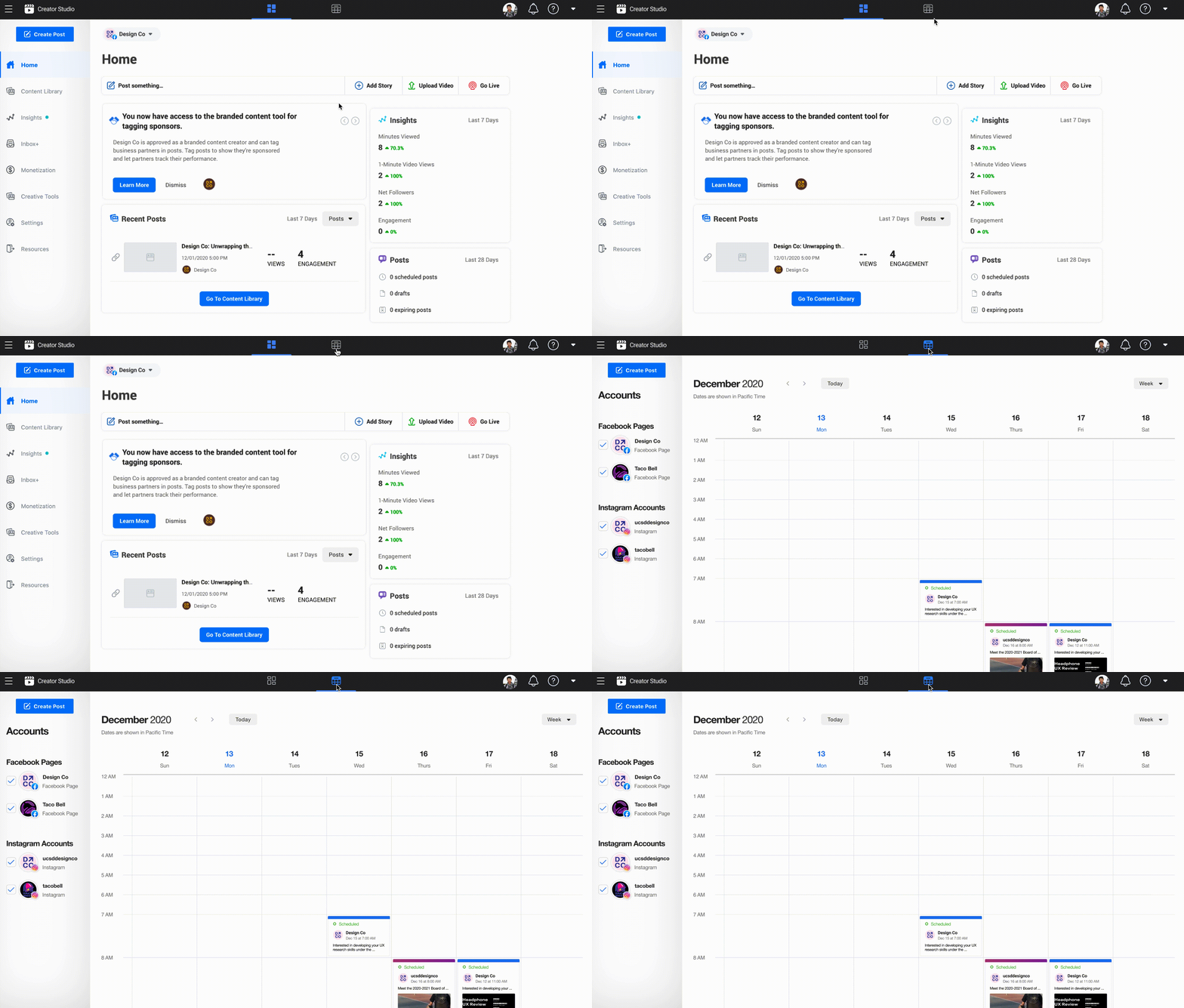

Switching between weekly view, daily view, and monthly view.
Weekly view of the content calendar as default.
A pop-up of post details, the same as the one currently used in Creator Studio.
4/ Next steps
— Research on the marketing needs of small businesses, since they're the target audience in the problem space.
— Re-examine the purpose of Creator Studio, considering the release of Facebook Business suite.